
Note
Go to the end to download the full example code.
Mesh Smoothing#
This example illustrates the effects of different smoothing methods. Smoothing a mesh can serve two purposes - the first is to smooth the geometry, rounding out sharp features; the second is to redistribute nodes, often in pursuit of improved element quality. When attempting to improve element quality, often the goal is to redistribute the nodes while having a minimal effect on the geometry. Different smoothing methods have different effects on the geometry.
import mymesh
from mymesh import improvement
The Stanford Bunny#
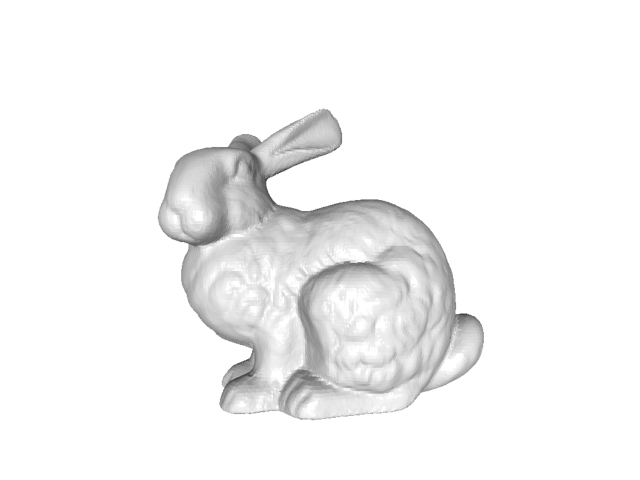
We’ll use the Stanford bunny as an example
bunny = mymesh.demo_mesh('bunny')
bunny.plot(view='xy')
RFBOutputContext()

Identifying mesh nodes...Done
Local Laplacian Smoothing#
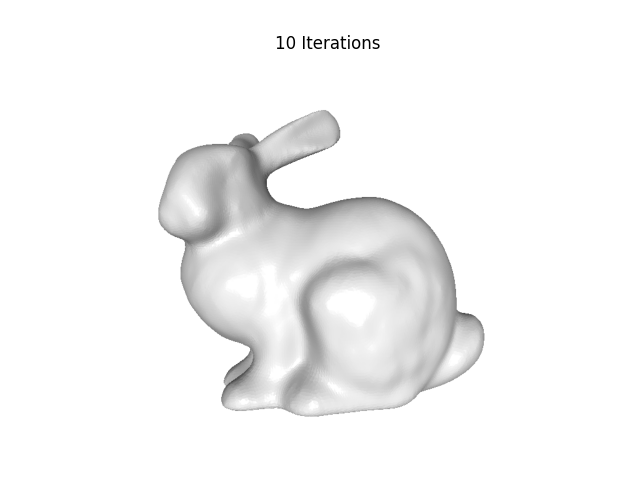
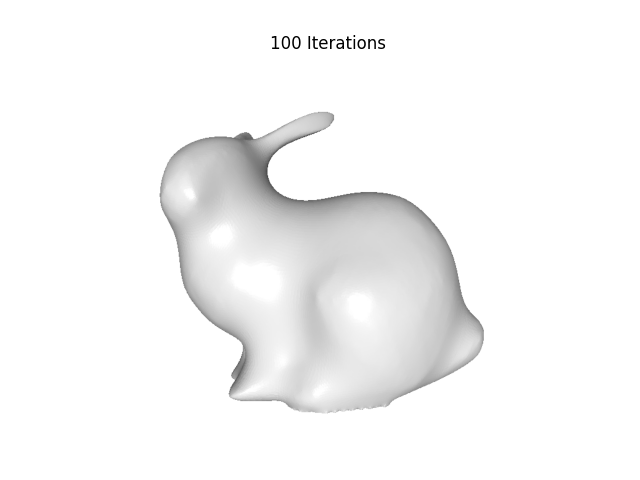
Laplacian smoothing is a classic smoothing method, but can lead to shrinkage of the overall geometry
bunny_laplacian10 = improvement.LocalLaplacianSmoothing(bunny, options=dict(iterate=10))

bunny_laplacian100 = improvement.LocalLaplacianSmoothing(bunny, options=dict(iterate=100))

# plotting
fig2, ax1 = bunny_laplacian10.plot(view='xy', show=False, return_fig=True)
ax1.set_title('10 Iterations')
fig2, ax2 = bunny_laplacian100.plot(view='xy', show=False, return_fig=True)
ax2.set_title('100 Iterations')
Identifying volume node neighbors...Done

Identifying volume node element connectivity...Done

Identifying boundary nodes...
        Identifying boundary...Done
        Done
        RFBOutputContext()

Identifying mesh nodes...Done
        RFBOutputContext()

Identifying mesh nodes...Done
Tangential Laplacian Smoothing#
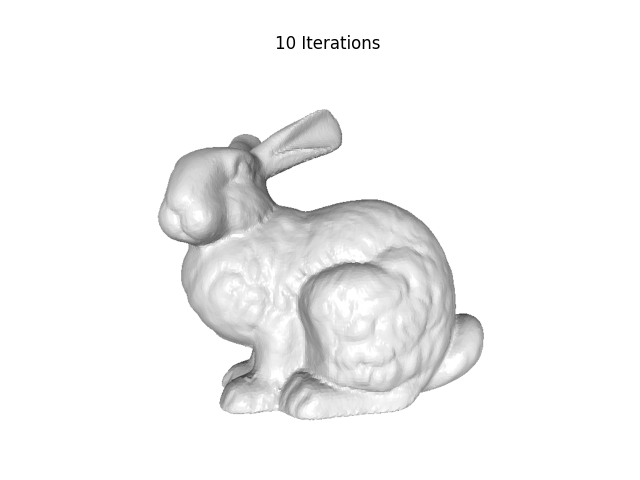
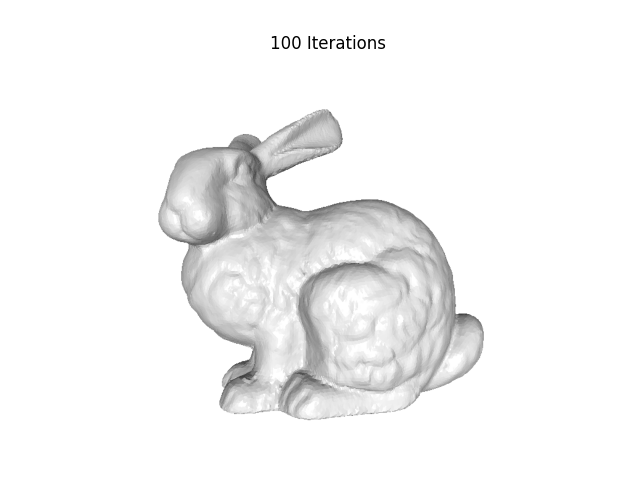
To mitigate shrinkage and better preserve features, tangential Laplacian smoothing moves nodes only in the plane tangent to the surface.
bunny_tangential10 = improvement.TangentialLaplacianSmoothing(bunny, options=dict(iterate=10))

bunny_tangential100 = improvement.TangentialLaplacianSmoothing(bunny, options=dict(iterate=100))

# plotting
fig2, ax1 = bunny_tangential10.plot(view='xy', show=False, return_fig=True)
ax1.set_title('10 Iterations')
fig2, ax2 = bunny_tangential100.plot(view='xy', show=False, return_fig=True)
ax2.set_title('100 Iterations')
Calculating surface node normals...
        Identifying surface node element connectivity...Done

        Calculating surface element normals...Done
        Done
RFBOutputContext()

Identifying mesh nodes...Done
        RFBOutputContext()

Identifying mesh nodes...Done
Taubin Smoothing#
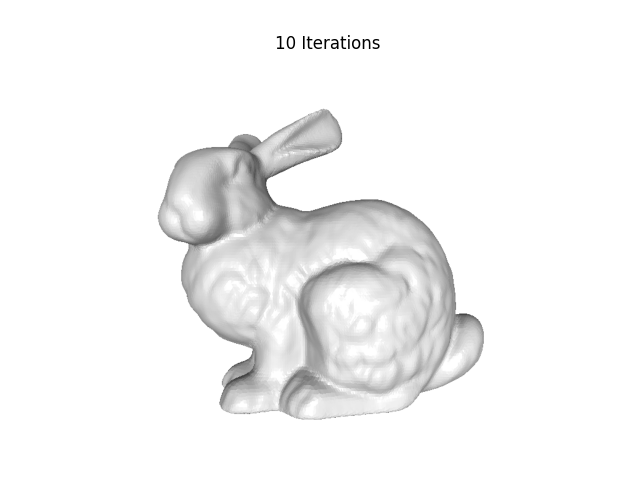
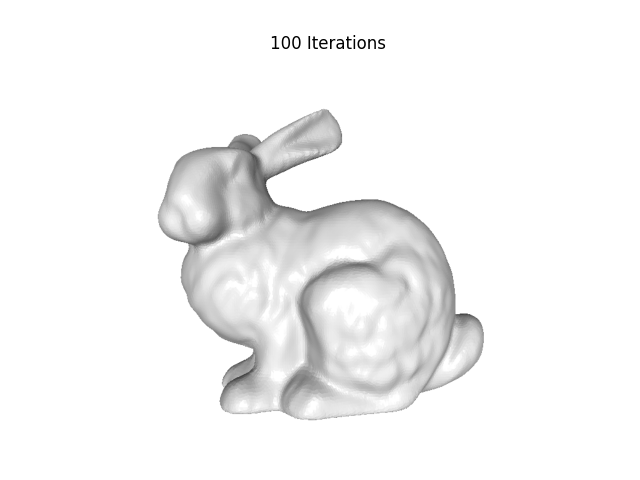
Taubin smoothing essentially performs two passes of Laplacian smoothing, but weighted so that the shrinkage induced by the first pass is reversed by inflation in the second pass, leading to improved preservation of features and geometries.
bunny_taubin10 = improvement.TaubinSmoothing(bunny, options=dict(iterate=10))

bunny_taubin100 = improvement.TaubinSmoothing(bunny, options=dict(iterate=100))

# plotting
fig2, ax1 = bunny_taubin10.plot(view='xy', show=False, return_fig=True)
ax1.set_title('10 Iterations')
fig2, ax2 = bunny_taubin100.plot(view='xy', show=False, return_fig=True)
ax2.set_title('100 Iterations')
RFBOutputContext()

Identifying mesh nodes...Done
        RFBOutputContext()

Identifying mesh nodes...Done
Total running time of the script: (0 minutes 16.767 seconds)