mymesh.mesh.mesh.Transform#
- mesh.Transform(x, transformation='rigid', transform_kwargs={}, InPlace=False)[source]#
Apply a transformation to the coordinates of the mesh.
- Parameters:
x (array_like) – Transformation parameters. The number of parameters depends on the transformation being used. For the default (rigid), it should be a 6 element array of translations in x, y, and z, and rotations about x, y, and z, respectively.
transformation (str, optional) –
Transformation model to use, by default ‘rigid’.
transform_kwargs (dict, optional) – Optional arguments for transform functions. See available options in the documentation of the specific transform being used, by default {}
InPlace (bool, optional) – If True, the original mesh will be modified in place, otherwise a copy will be made and modified, leaving the original mesh unaltered. By default False
Examples
import mymesh
import numpy as np

# Load the stanford bunny
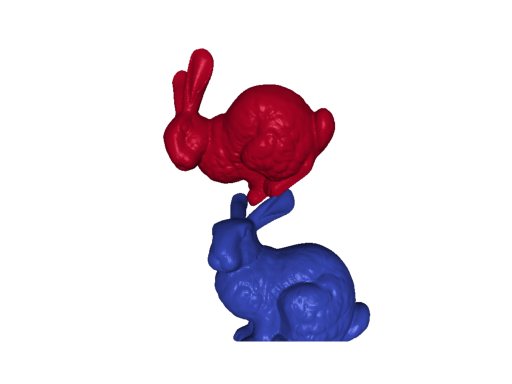
m1 = mymesh.demo_mesh('bunny')

# Perform a rigid transformation to the mesh
m2 = m1.Transform([0.02, 0.2, -0.05, np.pi/6, -np.pi/6, np.pi/6])